



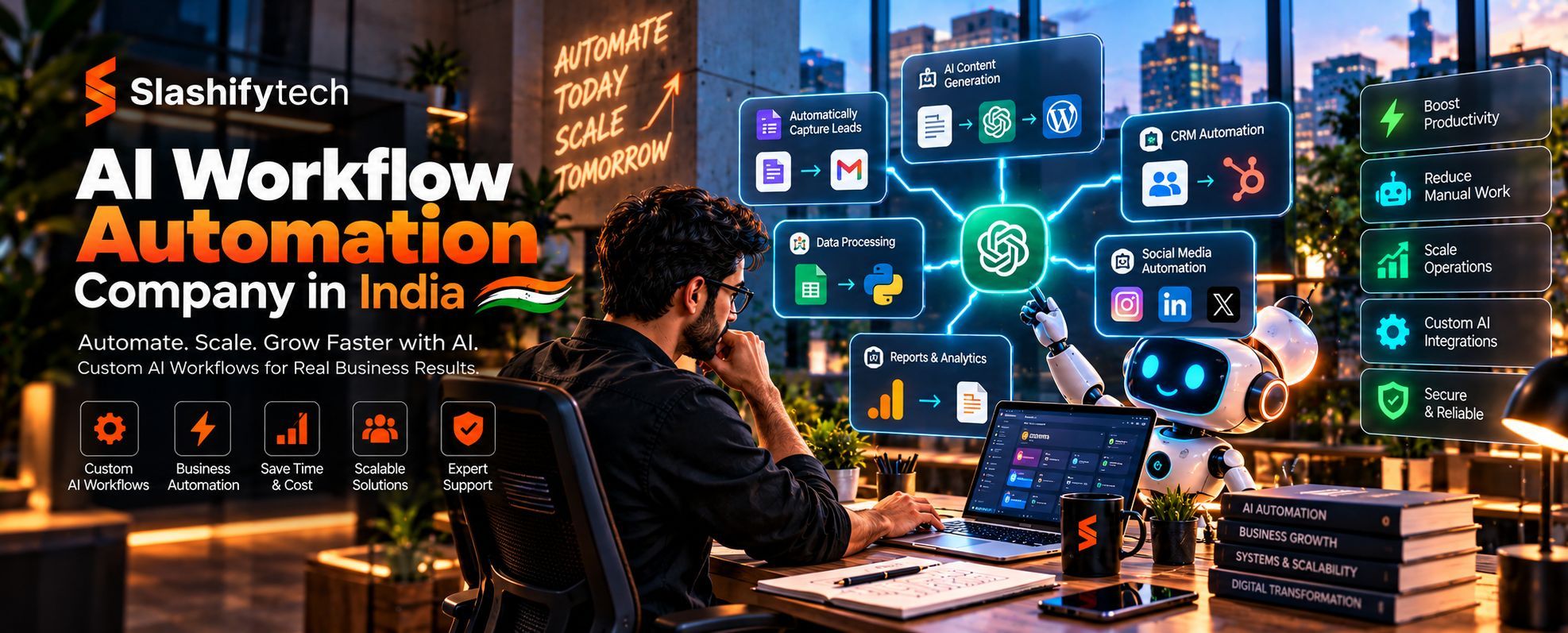
If your team spends hours copying information between systems, following up with leads, preparing reports, or answering the same customer questions, the problem may be the workflow rather than the workload. An AI workflow automation company In India helps businesses connect their applications, automate repeatable tasks, and use AI for activities such as classifying information, processing documents, handling customer conversations, and routing work to the right people.
SlashifyTech provides AI automation services that include business workflow automation, AI voice agents, smart chatbots, virtual assistants, SaaS integrations, and AI-powered reporting and analytics. Its approach connects automation to existing business systems instead of treating AI as a standalone experiment. Explore SlashifyTech's AI automation services.
The right solution starts with a clear business problem. You need to identify which tasks can be automated safely, where AI can improve decision-making, which actions require human approval, and how to measure the operational impact.
What is an AI workflow automation company In India?
AI workflow automation company In India combines software automation with artificial intelligence to coordinate tasks, process information, and move work between systems with less manual intervention. Traditional automation follows predefined rules, while AI can interpret unstructured information, classify requests, extract relevant details, and generate responses when appropriately configured.
A typical AI-powered workflow contains five components:
- Trigger: An event starts the workflow, such as a new enquiry, incoming email, uploaded document, or completed form.
- Data processing: The system retrieves, validates, or transforms information from the relevant source.
- AI processing: A model classifies content, extracts information, summarizes text, or generates a response when the task requires these capabilities.
- Workflow logic: Rules determine the next action, destination, approval requirement, or escalation path.
- Execution and monitoring: The system updates the relevant application, records the result, and handles failures or exceptions.
For example, when a business receives a new enquiry through its website, an automation can capture the contact details, use AI to classify the enquiry, create a CRM record, notify the appropriate salesperson, and prepare a follow-up message.
The system can automate routine steps while allowing a person to review uncertain classifications, approve sensitive communications, or handle unusual requests.
AI workflow automation company In India is most useful when the process is repeated frequently, the required information is accessible, and the business can define what a successful outcome looks like.
How Does an AI workflow automation company In India Work?
AI workflow automation company In India works by connecting business applications, triggers, processing steps, decision rules, and monitoring into a coordinated sequence. The AI component handles tasks that require interpretation, while conventional workflow logic manages predictable actions and permissions.
Consider a customer-support workflow:
- A customer submits a question through a website or messaging channel.
- The workflow retrieves the message and relevant customer information.
- An AI model identifies the likely topic and extracts important details.
- Rules determine whether the request can be answered using approved information or needs escalation.
- The system sends an approved response or creates a support ticket.
- The result is recorded for monitoring and later review.
The workflow may use APIs, webhooks, a CRM, a database, an AI model, and a notification service. Each component has a defined responsibility.
Rules-Based Automation vs AI-Based Decisions
Not every task requires AI. A fixed rule is often more reliable and economical when the condition is clear.
For example, sending an acknowledgement whenever a form is submitted can use ordinary automation. Determining whether a free-text enquiry concerns pricing, technical support, or a partnership may benefit from AI classification.
A well-designed workflow combines both approaches: AI interprets information where needed, and deterministic rules control important actions.
Why Businesses Need an AI workflow automation company In India
An AI workflow automation company In India helps businesses identify repetitive processes, select suitable tools, integrate existing systems, and build workflows that can be monitored and maintained. The value comes from solving a specific operational problem, not from adding AI to every task.
Reduce Repetitive Administrative Work
Many teams repeatedly enter information, move records between applications, prepare routine summaries, and send standard updates.
Automation can handle these steps when the process is sufficiently structured. AI can assist when incoming information varies in format or wording, such as email enquiries, documents, and customer messages.
The objective is to reduce unnecessary manual handling while keeping clear ownership of the underlying business process.
Improve Lead Management and Follow-Up
Sales teams can lose time sorting enquiries, checking information, updating CRM records, and preparing follow-up messages.
An automated workflow can capture enquiries, check required fields, categorize the request, assign ownership, and create reminders. AI can summarize the enquiry or suggest a response based on approved business information.
Human review remains important when messages contain unusual requirements, commercial commitments, sensitive information, or negotiation decisions.
Connect Disconnected Business Applications
Businesses often use separate tools for customer relationships, messaging, payments, scheduling, reporting, and internal operations.
Workflow automation can connect these systems through APIs, webhooks, and supported integrations. For example, a confirmed transaction can trigger an invoice workflow, update a customer record, and notify the relevant team.
The implementation must handle authentication, duplicate events, failed requests, rate limits, and data consistency. Otherwise, automation can simply move existing problems from one system to another.
Support Better Operational Visibility
A workflow can record when a task started, which step completed, where an exception occurred, and whether human intervention was required.
This information helps managers identify bottlenecks and monitor service levels. AI-generated summaries can make large volumes of operational information easier to review, but the underlying data must remain available for verification.
Scale Processes Without Repeating Every Manual Step
As enquiry volume, transaction counts, or document processing requirements increase, a well-designed workflow can process additional work without requiring someone to perform every routine action manually.
However, automation still needs capacity planning, exception handling, monitoring, and ongoing maintenance. More automation does not automatically mean lower costs if the workflow is poorly designed or requires frequent manual correction.
Which Business Processes Can AI Automate?
AI workflow automation company In India can support sales, customer service, administration, document processing, marketing operations, reporting, and internal knowledge management. The best starting point is usually a process with repeated steps, clear inputs, and measurable outcomes.
1. Sales and Lead Management Automation
Sales workflows often involve multiple channels and repeated administrative steps. Automation can help capture enquiries, enrich records with approved data sources, classify leads, assign ownership, and schedule follow-ups.
A possible workflow looks like this:
- A new lead arrives through a website form or supported messaging integration.
- The system validates required contact information.
- AI classifies the enquiry by topic or stated requirement.
- The workflow creates or updates a CRM record.
- The relevant salesperson receives a notification.
- A reminder is created if the lead remains unassigned or unanswered.
AI-generated lead scores should be treated as decision support, not as objective measures of customer value. Businesses should review the scoring criteria and monitor whether the process disadvantages particular groups or incorrectly excludes useful enquiries.
2. Customer Support Automation
AI-powered chatbots and virtual assistants can answer common questions using approved content, collect information, and route complex cases to human agents.
For example, an assistant may explain a published return policy, retrieve an order status through an authorized integration, or create a ticket when a customer reports a problem.
A reliable implementation should define the knowledge sources the assistant can use, how it handles uncertainty, which actions it may perform, and when it must transfer the conversation to a person.
3. Document Processing Automation
Businesses receive invoices, application forms, contracts, statements, and other documents in different layouts and formats.
AI can help extract fields, classify document types, summarize content, and identify missing information. Workflow rules can then validate required fields and send records for approval or further processing.
For example, an invoice workflow might extract the supplier name, invoice number, date, and total amount. The system can compare these fields against purchase records and route discrepancies for human review.
Optical character recognition may be needed for scanned documents. AI extraction should be validated because poor scans, unusual formats, and ambiguous entries can produce incorrect results.
4. Marketing Operations Automation
Marketing teams manage campaign requests, content drafts, lead notifications, customer segments, and reporting.
Automation can move approved campaign information between systems, prepare draft summaries, classify incoming feedback, and assemble performance data from connected analytics platforms.
AI can assist with content generation and categorization, but claims, brand-sensitive messaging, customer permissions, and campaign launches should follow an appropriate review process.
Automation should not be used to generate large volumes of low-value content simply because it is technically possible.
5. Finance and Administration
Administrative workflows can include invoice routing, expense categorization, payment reminders, reconciliation support, and document collection.
AI may assist with extracting or classifying information, while deterministic rules validate totals, permissions, and required fields. Financial transactions and accounting decisions should retain appropriate controls, audit trails, and approval steps.
For example, an automation may prepare a payment request after checking required fields, but release of funds should follow the organization's authorization policy.
6. Internal Knowledge Management
Employees often spend time searching documents, policies, product information, and internal procedures.
An AI assistant can retrieve relevant information from approved sources, summarize documents, and provide answers with links or references to the source material. This approach can help employees find information without manually searching multiple repositories.
Access controls must carry through to retrieval. A user should not receive information from documents they are not authorized to view merely because an AI assistant can access those documents.
AI workflow automation company In India vs Traditional Automation
Traditional automation is best for predictable, rule-based tasks. AI workflow automation company In India adds interpretation and generation capabilities for tasks involving unstructured information or language.
| Factor | Traditional automation | AI workflow automation |
|---|---|---|
| Input handling | Structured fields and predefined formats | Can interpret text, documents, and other supported inputs |
| Decision logic | Explicit rules and conditions | AI predictions or classifications combined with workflow rules |
| Typical tasks | Data transfer, notifications, fixed calculations | Document extraction, message classification, summarization |
| Predictability | Usually high when rules and inputs are stable | Output quality can vary with input and model behavior |
| Validation | Rule checks and system responses | Rule checks plus evaluation of AI output |
| Human oversight | Needed for exceptions and approvals | Often especially important for uncertain or high-impact outputs |
| Cost factors | Workflow setup, integrations, execution volume | Workflow setup plus model usage, evaluation, and monitoring |
| Best approach | Deterministic, repetitive processes | Processes where interpretation adds practical value |
Practical recommendation: Start with rules-based automation wherever possible. Introduce AI only when the process needs capabilities such as language understanding, document interpretation, or flexible classification.
This keeps the workflow easier to test and reduces unnecessary model usage.
Technologies Used in AI workflow automation company In India
AI automation solutions commonly combine workflow orchestration tools, AI models, APIs, databases, and business applications. The specific stack should be selected according to integration requirements, security, hosting preferences, cost, and maintainability.
Workflow Orchestration
Workflow orchestration tools define the sequence of tasks, triggers, conditions, retries, and error handling.
SlashifyTech lists n8n and Make among its workflow automation integrations. These tools can coordinate activities across supported applications, with implementation choices depending on deployment and integration needs.
AI Models and Agents
AI models can classify messages, summarize documents, extract information, and generate responses. More advanced agent-based workflows can select from permitted tools or execute multiple steps toward a defined goal.
SlashifyTech lists OpenAI, Gemini, and Vapi among the AI-related integrations on its website. The appropriate model or service depends on the task, supported capabilities, data-handling requirements, response quality, and cost.
An AI agent should not receive unrestricted access to business systems. Its tools, permissions, allowed actions, and escalation paths should be explicitly defined.
APIs and Webhooks
APIs allow systems to exchange data and request actions. Webhooks notify a system when an event occurs, such as a new form submission, updated order, or completed payment.
Integration design should account for authentication, request validation, rate limits, retries, duplicate events, and failures. Where an action must occur only once, the system may need idempotency controls or a reliable way to check whether it has already completed.
Databases and Business Applications
A workflow may read or write records in a CRM, database, help desk, ERP, or internal application.
The architecture should establish which system is the source of truth for each record. It should also define how conflicting updates are resolved and how changes are logged.
Analytics and Monitoring
Monitoring helps teams identify failed steps, slow integrations, unusual model outputs, and rising operating costs.
Useful measures include workflow completion rate, exception rate, processing time, human review rate, model usage, and cost per successfully completed task.
How Much Does AI Workflow Automation Cost in India?
AI workflow automation costs depend on the number of processes, system integrations, model usage, security requirements, implementation complexity, and ongoing support.
A simple workflow that transfers validated data between two systems is different from a multi-step AI agent that processes documents, interacts with customers, and updates enterprise software.
SlashifyTech publishes indicative pricing in its AI automation content. Its AI voice agent article describes focused automation engagements starting at ₹6,00,000, with broader multi-tool automation architectures ranging up to ₹20,00,000. These figures refer to the described automation engagements and should not be interpreted as a universal price for every workflow project.
The following ranges are illustrative budgeting examples, not verified SlashifyTech quotations or market-wide benchmarks.
| Project category | Illustrative planning range | Potential scope |
|---|---|---|
| Simple workflow integration | ₹50,000-₹2 lakh | A limited process with a small number of integrations |
| AI-assisted business workflow | ₹2 lakh-₹6 lakh | Classification, extraction, notifications, and review steps |
| Multi-system AI automation | ₹6 lakh-₹20 lakh+ | Multiple workflows, advanced integrations, monitoring, and governance |
Actual quotations may fall outside these ranges. A provider should evaluate your workflow and confirm the scope before committing to a budget.
What Influences the Cost?
Number of workflows: Each additional process may require separate rules, integration logic, testing, and monitoring.
AI complexity: Document interpretation, long-context analysis, multi-step agents, and voice interactions may require more development and model usage than simple classification.
Existing systems: APIs that are well documented and available can simplify integration. Legacy systems or restricted APIs may require additional work.
Data preparation: Inconsistent records, scanned documents, duplicate entries, and missing fields can increase implementation effort.
Security and governance: Access controls, audit logs, approval workflows, privacy requirements, and data retention policies add design and testing work.
Usage volume: Model calls, voice minutes, storage, hosting, and third-party subscriptions can create recurring costs.
Maintenance: Monitoring, prompt updates, dependency upgrades, model changes, and workflow improvements should be included in the operating budget.
Request a proposal that separates discovery, development, integrations, testing, deployment, recurring usage, and maintenance. This makes it easier to compare providers and estimate the total cost of ownership.
How Long Does AI workflow automation company In India Take?
Implementation time depends on the number of workflows, availability of APIs, quality of existing data, security requirements, and the need for human review.
A limited automation may be implemented more quickly than a system involving several departments, legacy applications, and AI-driven decisions. The timeline should follow a workflow assessment rather than a generic promise.
| Phase | Main activities | Expected output |
|---|---|---|
| Discovery | Map current process and identify bottlenecks | Workflow requirements |
| Design | Define triggers, conditions, data, permissions, and exceptions | Technical workflow specification |
| Development | Configure orchestration and integrate AI and business systems | Working automation |
| Testing | Validate normal, failure, and edge-case scenarios | Test results and corrections |
| Pilot | Run with controlled traffic or selected users | Measured performance and feedback |
| Deployment | Release, monitor, and document the workflow | Production workflow |
| Improvement | Review errors, usage, cost, and user feedback | Updated automation |
These phases may overlap. Data-access delays, third-party approvals, or changes in business rules can extend delivery.
A sensible project starts with one measurable workflow, validates the result, and expands after the process is reliable.
Security, Governance, and Human Oversight
AI workflow automation company In India must protect business data, limit system permissions, and make important actions traceable. A workflow that saves time but exposes sensitive information or performs unauthorized actions creates operational risk.
Apply Least-Privilege Access
Each integration should receive only the permissions it needs. For example, a reporting workflow may require read access to selected records but should not have permission to delete customers or issue refunds.
Credentials and API keys should be stored securely, rotated when required, and kept out of source code and model prompts.
Validate AI Outputs Before Sensitive Actions
AI can misclassify requests, extract incorrect values, or generate unsupported responses. The workflow should validate outputs against expected formats, business rules, and trusted data sources.
Human approval is appropriate for actions such as high-value payments, contractual commitments, account changes, or communications with significant legal or financial implications.
Protect Data Privacy
Before sending business information to an external AI service, determine what data is necessary, where it will be processed, how long it is retained, and what the provider's terms allow.
Avoid sending unnecessary personal information. Establish access controls and retention policies, and assess applicable contractual and legal obligations.
Maintain Audit Trails and Recovery Options
Record workflow execution, important decisions, errors, and approvals without logging unnecessary secrets or sensitive content.
Plan for retries, failed integrations, duplicate events, rollback where feasible, and manual recovery. A workflow should make failures visible rather than silently leaving records in an incomplete state.
The AI workflow automation company In India Implementation Process
A reliable implementation begins with process analysis and ends with continuous monitoring. The goal is to make a business workflow measurably more effective, not simply to connect tools and declare the process automated.
Step 1: Identify the Business Problem
Choose a process that consumes meaningful time, creates repeated errors, or causes delays. Document who performs the work, how frequently it occurs, what information is needed, and what happens when something goes wrong.
Step 2: Map the Existing Workflow
Record the current sequence of steps, systems, decisions, approvals, and exceptions. This is important because automating a poorly defined process can make existing inefficiencies happen faster. Simplify unnecessary steps before building automation around them.
Step 3: Decide Where AI Is Needed
Separate deterministic tasks from tasks requiring interpretation.
Use ordinary workflow rules for fixed conditions, calculations, and notifications. Consider AI for unstructured documents, message classification, summaries, and other tasks where flexible interpretation adds value.
Step 4: Define Integrations and Permissions
Identify the systems involved, available APIs, authentication methods, data ownership, and required permissions.
Define the exact actions the workflow can perform and which actions require human approval.
Step 5: Build and Test the Workflow
Develop the workflow in a controlled environment. Test normal inputs, missing data, duplicate events, unexpected formats, failed API calls, and uncertain AI outputs.
Include checks that prevent a single failure from causing repeated notifications, duplicate records, or unauthorized actions.
Step 6: Run a Controlled Pilot
Start with a limited workflow or group of users. Compare the automated process with the existing process and review both successful outcomes and exceptions.
Measure actual performance rather than relying on a demonstration or a handful of successful examples.
Step 7: Deploy and Monitor
Set up alerts, execution logs, access controls, ownership, and recovery procedures. Monitor completion rates, error rates, response times, and operating costs.
Step 8: Improve and Expand
Review feedback and exceptions to identify changes that will make the workflow more reliable. Expand to additional processes only when the initial automation meets agreed performance and governance requirements.
Common Mistakes Businesses Should Avoid
AI automation projects can fail when teams select tools before understanding the process or overlook how the workflow will be operated after launch.
Avoid these common mistakes:
- Automating a broken process: Simplify unnecessary steps before implementation.
- Using AI for every decision: Keep fixed rules in ordinary automation when they are sufficient.
- Ignoring data quality: Validate records and establish a clear source of truth.
- Giving AI unrestricted permissions: Limit tools and actions to the minimum required.
- Skipping exception handling: Define what happens when a model is uncertain or an integration fails.
- Ignoring recurring costs: Estimate model usage, voice services, hosting, and maintenance.
- Launching without measurement: Define baseline performance and success criteria before deployment.
- Removing humans too early: Keep review and escalation for sensitive or uncertain decisions.
- Failing to document ownership: Assign responsibility for monitoring, incidents, credentials, and updates.
AI workflow automation company In India Myths and Misconceptions
Myth 1: AI Automation Can Run Every Business Process Without Human Involvement
AI can handle many routine tasks, but not every decision should be fully automated. Uncertain inputs, sensitive transactions, legal commitments, and unusual customer cases may require human judgment.
The appropriate level of autonomy depends on risk, error tolerance, and the ability to reverse an action.
Myth 2: AI Automation Always Reduces Costs
Automation can reduce manual effort, but it also introduces development, integration, monitoring, and usage costs.
A poorly designed workflow may create more work through false classifications, duplicate records, and repeated corrections. Evaluate the total operating cost alongside the time saved.
Myth 3: Connecting AI to a CRM Is Enough to Build a Reliable Workflow
A working integration is only one component of a production workflow. The system also needs clear rules, permissions, validation, exception handling, monitoring, and recovery procedures.
Reliable automation comes from designing the entire process rather than connecting an AI model to an application and assuming the rest will work.
Illustrative Case Study: Automating Business Compliance Operations
Consider a hypothetical Indian compliance-services company that manages client documents, filing deadlines, invoices, and customer updates across spreadsheets, email, and messaging applications.
The problem: Employees repeatedly collect documents, update records, track deadlines, send reminders, and answer questions about filing status.
The proposed solution: A centralized workflow could capture client submissions, validate required fields, store documents in an authorized system, generate deadline reminders, and update the relevant client record. AI could assist with document classification and summarization, while rules control deadline calculations and approval requirements.
The safeguards: Sensitive records would be accessible only to authorized users. Missing documents and uncertain extraction results would be routed for review. Filing submissions and other high-impact actions would remain subject to the company's established approval process.
How success would be measured: The company could monitor time spent on administrative work, missing-document rates, overdue tasks, processing errors, and the number of enquiries resolved without manual routing.
This is an illustrative scenario, not a claim about a new or hypothetical project completed by SlashifyTech.
SlashifyTech separately publishes a case study about Online Filing India's compliance automation and client management platform, describing centralized client records, role-based dashboards, compliance reminders, secure document handling, and invoice automation. See the published Online Filing India case study for the company's documented project details.
How to Choose the Right AI workflow automation company In India
The right provider should understand your process, integrate your existing tools, define measurable outcomes, and design for security and ongoing maintenance.
Use this checklist when comparing providers.
- Relevant experience: Ask for examples of similar workflow and integration projects.
- Technical capability: Discuss orchestration tools, AI models, APIs, webhooks, data validation, and monitoring.
- Portfolio relevance: Review documented case studies and distinguish production deployments from demonstrations.
- Process discovery: Confirm that the provider will map your existing workflow before recommending tools.
- Security: Ask how credentials, data access, logging, and sensitive actions are protected.
- Reliability: Discuss retries, duplicate events, failure handling, alerts, and recovery procedures.
- Human oversight: Establish which actions require approval and how uncertain outputs are handled.
- Scalability: Understand how usage volume, concurrency, and new integrations will be managed.
- Timeline: Request milestones, dependencies, testing periods, and a pilot plan.
- Maintenance: Confirm who will monitor and update the workflows after launch.
- Pricing transparency: Separate implementation fees, model usage, third-party subscriptions, hosting, and support.
- Ownership and access: Confirm ownership of workflow configurations, custom code, credentials, and connected accounts.
- Documentation: Require workflow diagrams, integration details, operating procedures, and incident instructions.
Questions to Ask Before Hiring
- Which parts of our process should use AI, and which should remain rule-based?
- How will the automation handle missing, conflicting, or uncertain information?
- Which applications can you integrate using existing APIs or webhooks?
- How will you prevent duplicate actions and manage failed requests?
- What information will be sent to the AI model, and how will it be protected?
- How will we measure time saved, error rates, and operating costs?
- Who will monitor and maintain the workflow after launch?
- What happens if a connected service, model, or API changes?
A capable provider should explain the trade-offs in plain language and provide a realistic plan for implementation, testing, ownership, and support.
Why Consider SlashifyTech for AI workflow automation company In India?
SlashifyTech offers AI automation services for businesses seeking to reduce manual work, connect applications, and coordinate operational processes. Its published offering includes AI voice agents for sales and support, workflow automation, chatbots and virtual assistants, SaaS integrations, and AI-powered reporting and analytics.
Its published integrations include workflow orchestration platforms, AI services, communication tools, analytics systems, and business applications. The exact combination should be selected according to your existing technology, security requirements, and workflow objectives. https://slashifytech.com/integrations
For a suitable project, the first step is to identify one workflow that creates repeated manual work or operational delays. Document the current process, the systems involved, the expected outcome, and the actions that need approval.
This gives the development team a clear basis for evaluating technical feasibility, estimating implementation effort, and defining how the result will be measured.
Planning to automate a business workflow? Visit SlashifyTech's AI automation services to discuss your requirements and arrange a discovery call.
Key Takeaways
- AI workflow automation company In India combines software integrations, deterministic rules, and AI capabilities to coordinate business processes.
- Start with repetitive workflows that have clear inputs, measurable outcomes, and manageable risk.
- Use AI where interpretation adds value and conventional automation where fixed rules are sufficient.
- Security, data quality, validation, human approval, and failure handling are essential to reliable implementation.
- Evaluate total cost, including integration, model usage, monitoring, and maintenance.
- Choose an automation partner based on relevant experience, transparent scope, measurable outcomes, and clear ownership.
Automate the Workflows That Slow Your Business Down
AI workflow automation company In India can help businesses reduce repetitive tasks, connect disconnected applications, and give employees more time for work that requires judgment and communication.
The best starting point is a clearly defined process with a measurable problem. Once that workflow is reliable, you can evaluate whether the same approach should be extended to other departments and systems.
SlashifyTech provides AI workflow automation company In India, AI agents, voice agents, chatbot integrations, and reporting automation for businesses that want to improve their operational processes.
Ready to evaluate an automation opportunity? Contact SlashifyTech through its AI automation service page to discuss your workflow, integrations, and project requirements.
Frequently Asked Questions
What does an AI workflow automation company In India do?
An AI workflow automation company In India designs and implements workflows that connect business applications, automate repetitive tasks, and use AI to process information where needed. Services may include lead routing, document processing, customer support automation, reporting, and CRM integration. A suitable provider also handles testing, security, monitoring, and ongoing maintenance.
How much does AI workflow automation cost in India?
The cost depends on workflow complexity, integrations, AI model usage, data requirements, security, and ongoing support. Simple integrations generally require less work than multi-system AI agents. SlashifyTech publishes focused automation engagements starting at ₹6 lakh in its AI voice agent article, but individual projects require a separate scope and quotation.
Which business processes can AI workflow automation company In India handle?
AI workflow automation company In India can support lead management, customer service, document classification, reporting, invoice processing, notifications, and internal knowledge retrieval. The most suitable processes have repeatable steps and accessible data. High-impact decisions should include validation, approval, and escalation rather than relying entirely on AI-generated outputs.
What is the difference between AI automation and traditional automation?
Traditional automation executes predefined rules, such as moving a record or sending a notification when a condition is met. AI automation adds capabilities such as interpreting messages, classifying documents, and summarizing information. Many reliable workflows combine AI for interpretation with deterministic rules for permissions and execution.
How long does an AI workflow automation company In India take to implement?
Implementation time depends on the number of workflows, integration availability, data quality, security requirements, and testing needs. A limited workflow may be delivered faster than a multi-system enterprise solution. A realistic timeline should include discovery, development, testing, a controlled pilot, deployment, and post-launch monitoring.
Is AI workflow automation company In India secure for business data?
AI workflow automation companies In India can be designed with appropriate security controls, but security depends on implementation and provider practices. Businesses should limit permissions, protect credentials, validate AI outputs, manage data retention, and maintain audit trails. Sensitive actions should require suitable approval and comply with applicable legal and contractual obligations.
Can AI workflow automation company In India integrate with existing CRM and ERP systems?
Yes. Automation can connect to CRM, ERP, databases, messaging platforms, and other business applications through supported APIs, webhooks, and integrations. The provider should verify authentication, permissions, data formats, rate limits, and failure handling. Legacy systems or restricted APIs may require additional development or alternative integration methods.
How do I measure the ROI of AI workflow automation company In India?
Measure performance before and after implementation using metrics such as processing time, manual effort, error rates, workflow completion, escalation frequency, and recurring costs. Include implementation and maintenance expenses in the calculation. A successful project should demonstrate measurable improvement against an agreed baseline, not simply show that an automation runs.


