



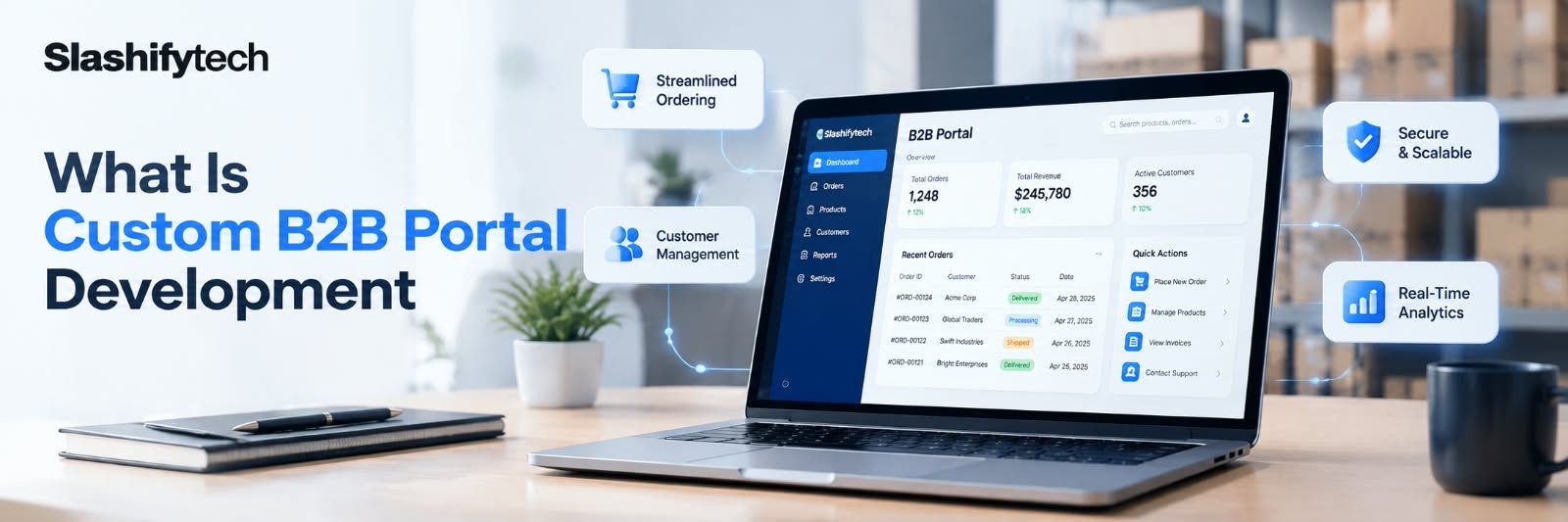
Custom B2B portal development is the process of building a secure, role based web application that connects a business with its partners, dealers, distributors, or vendors, bringing order management, communication, reporting, and approvals into one digital workspace instead of scattered spreadsheets, emails, and phone calls. A properly built portal gives every stakeholder, internal staff, partners, and dealers, their own access level, their own view of the data that matters to them, and a single place to act on it.
Most businesses do not wake up one day and decide they need a portal. It usually happens gradually. A distributor asks for order status by email once a week. Then twice a week. Then a staff member spends half their day copying numbers between spreadsheets and replying to the same questions from different dealers. At some point the manual coordination costs more, in time and in errors, than building a proper system would.
Why Businesses Outgrow Spreadsheets and Off the Shelf Tools
Three patterns tend to show up right before a business decides to invest in a portal. First, data goes out of sync. Two people update two different spreadsheets and nobody notices until a dealer complains about a wrong order. Second, accountability disappears. When approvals happen over email or WhatsApp, there is no clean record of who approved what and when. Third, generic software starts fighting the business instead of helping it. Off the shelf CRM or ERP platforms like Salesforce, Zoho, or SAP are built around common patterns, and a business with dealer tiers, custom approval chains, or regional pricing rules often finds itself working around the platform rather than with it.
None of this means every business needs custom software. A small operation with a handful of partners and simple order flows can often run fine on a generic tool for years. The calculation changes once the number of partners, the complexity of approvals, or the cost of coordination mistakes grows past what a generic platform, or a spreadsheet, can reasonably absorb.
Core Components Every B2B Portal Needs
Role based access for every stakeholder. A portal is only as useful as its permission structure. Internal staff, regional managers, dealers, and vendors each need a view scoped to what they are allowed to see and do. A dealer should see their own orders and pricing, not a competitor's. An internal admin should see everything. Getting this wrong is one of the most common and most expensive mistakes in portal builds, because retrofitting permissions after launch is far more disruptive than Designing them correctly from the start.
Real time order and inventory visibility. Partners want to know what is in stock, what has shipped, and what is pending without calling anyone. This alone removes a large share of the manual back and forth that pushes businesses toward a portal in the first place.
Document management and approvals. Purchase orders, contracts, compliance documents, and warranty claims need a home, a version history, and a clear approval trail. This is also where audit readiness starts. A document sitting in someone's inbox is not auditable. A document logged in a portal, with a timestamp and an approver, is.
Reporting dashboards. Leadership needs a live view of performance across partners and regions without waiting for someone to compile a report. This is usually one of the highest value features for management, even though it is often the last thing partners themselves interact with.
Secure communication channels. Order queries, dispute resolution, and general coordination work better inside the portal, tied to the relevant order or document, than scattered across email threads that nobody can search later.
How a Custom B2B Portal Development Actually Works
A B2B portal is a web application with a frontend, a backend, a database, and a set of integrations, structured around permission logic. The frontend is what users see and interact with, commonly built in React or Next.js for the kind of responsiveness a portal with dashboards and data tables needs. The backend handles business logic, authentication, and API requests, typically built on Node.js or Django. The database, usually PostgreSQL for structured relational data like orders and users, or MongoDB when the data model is less rigid, stores everything the portal reads and writes.
Authentication and authorization sit at the center of the architecture. Every request checks not just who the user is, but what that specific user is allowed to see and do, at the data level, not just the page level. This is what makes a portal usable by a manufacturer's own staff and their external dealers at the same time without one accidentally seeing the other's information.
Integrations connect the portal to the systems a business already runs on. That might mean pushing transaction data to an ERP system, syncing customer records with a CRM, generating invoices automatically, or reconciling payments. A portal that cannot talk to the systems around it becomes just another disconnected tool, which defeats the purpose of building one in the first place.
Cloud infrastructure, typically AWS or GCP, handles hosting, scaling, and backups. Containerised deployments let new modules launch without disrupting what is already running, which matters once a portal grows past its first version and starts adding features the business did not originally plan for.
Custom Portal vs Off the Shelf Platform vs Template Builder
- Fit to your workflow. Custom B2B Portal Development: Built around your exact process. Off the Shelf Platform (Salesforce, Zoho): You adapt to the platform's process. Template or No Code Builder: Limited to the template's structure.
- Ownership. Custom B2B Portal Development: You own the code and data. Off the Shelf Platform (Salesforce, Zoho): You rent access, pay per user. Template or No Code Builder: You rent access, limited exportability.
- Cost pattern. Custom B2B Portal Development: Higher upfront, no recurring per user fees. Off the Shelf Platform (Salesforce, Zoho): Lower upfront, recurring monthly per user cost. Template or No Code Builder: Low upfront, capped functionality.
- Scaling to thousands of users. Custom B2B Portal Development: Designed for it from the architecture up. Off the Shelf Platform (Salesforce, Zoho): Possible but often costly at scale. Template or No Code Builder: Usually breaks down past a few hundred users.
- Compliance and audit needs. Custom B2B Portal Development: Built to your regulatory requirements. Off the Shelf Platform (Salesforce, Zoho): Depends entirely on the vendor's compliance posture. Template or No Code Builder: Rarely suitable for regulated industries.
- Long term flexibility. Custom B2B Portal Development: New modules added without platform limits. Off the Shelf Platform (Salesforce, Zoho): Bound by what the platform allows. Template or No Code Builder: Bound by the template's feature set.
The honest takeaway here is that a custom portal is not automatically the right answer for every business. A company whose workflow genuinely matches what Salesforce or Zoho already does well, at a user count where the per user pricing still makes sense, is often better served staying there. Custom development earns its cost when the operational logic does not fit standard platforms, when per user fees start adding up past what a one time build would cost, or when full ownership of business critical data and systems matters.
The Implementation Process, Step by Step
- Discovery and requirements mapping. Every stakeholder type, every workflow, and every approval chain gets documented before any design work starts. Skipping this step is the single biggest cause of expensive rework later.
- Planning and roadmap. Features get prioritized into phases, with a clear plan for what launches first and what follows.
- Design and prototyping. Wireframes and clickable prototypes let stakeholders react to the structure before a single line of production code gets written.
- Development. The portal gets built in sprints, with the highest risk or highest value modules typically built first.
- QA testing. Role based access gets tested from every user type's perspective, not just the admin view, since permission bugs are the most common source of post launch issues.
- Launch and data migration. Existing data moves over, often with a parallel run period where the old process and the new portal operate side by side to catch discrepancies.
- Growth and support. Post launch monitoring, security patching, and feature additions as the business and its partner network grow.
What Determines the Cost
Cost scales with the number of user roles, the depth of integrations, and compliance requirements, not with the number of screens. A focused portal covering one or two core workflows and basic reporting sits at the lower end of the range. A full featured portal with multi stakeholder access, integrated reporting, and third party integrations into ERP or CRM systems lands in the middle. Portals with compliance modules, AI features, or support for multiple business units sit at the top end.
It is worth naming plainly what does not drive cost as much as people expect: the number of pages rarely matters much. What matters is the number of distinct permission levels, the complexity of approval logic, and how many external systems the portal has to talk to.
What Determines the Timeline
Timelines generally run from around four months for a focused portal with a small number of roles and one or two workflows, up to nine months or more for a large scale platform with compliance modules, deep ERP integration, and support across multiple business units. The variable that moves the timeline most is not the frontend design, it is the number of stakeholder types and the complexity of the approval and integration logic behind them.
Security, Compliance, and Data Protection
A B2B portal handles sensitive business data across multiple external parties, which makes security a foundational design decision rather than something added at the end. At minimum, this means encryption for data in transit and at rest, multi factor authentication, and regular vulnerability scanning. For regulated industries, it also means audit trails on every meaningful action, with timestamps and user identity attached, so the business has a defensible record during a compliance review.
Independent certification matters here because it turns a claim into something verifiable. ISO 27001 certification, for example, is an internationally recognized standard for information security management, meaning the organization's security practices have been independently audited rather than simply described in a sales page.
Common Mistakes Businesses Make
- Treating permissions as an afterthought instead of designing role based access from day one, which almost always means expensive rework later.
- Choosing a template builder for a partner network that is already past a few hundred users, then discovering it cannot scale.
- Skipping the discovery phase to save time, which routinely costs more time later in rework.
- Building the portal in isolation from the systems it needs to talk to, then bolting on integrations after launch instead of designing for them from the start.
- Assuming the portal is finished at launch, when in reality partner portals need ongoing support as user counts, workflows, and integrations evolve.
Myths and Misconceptions About B2B Portals
"A low cost portal is always the cheaper option." A portal built without proper architecture often needs a costly rebuild within a year or two once the partner network grows past what the original build could handle. The cheaper option upfront is not always cheaper over the life of the platform.
"More features automatically make a better portal." Partners and staff adopt tools that solve their actual daily problem quickly. A portal crowded with features nobody asked for tends to see lower adoption than a focused one that nails the core workflow.
"Once the portal launches, the work is done." Partner networks grow, regulations change, and integrations need updates. A portal without a support plan behind it degrades in usefulness over time, the same way any software does without maintenance.
A Realistic Example
A growing distributor network was coordinating orders, inventory checks, and warranty claims with its dealers entirely through phone calls and a shared spreadsheet that different regional staff updated inconsistently. Dealers regularly waited days for order status, and warranty claims sometimes went unresolved for weeks because nobody had a clear view of what was pending. A structured portal build gave each dealer their own login with real time order visibility, a document upload flow for warranty claims, and an internal dashboard so management could see claim status across every region without asking anyone for an update. The result would typically be measured through faster claim resolution, fewer status update calls into the support team, and a clean audit trail for every approval, rather than through any single dramatic number.
How to Evaluate a Development Partner
- Relevant experience. Have they built portals for businesses with a similar partner structure, not just websites in general.
- Technical capability. Can they explain their architecture choices in plain terms, not just list technology names.
- Portfolio relevance. Ask to see an actual B2B or dealer portal they have shipped, not just consumer apps.
- Project scope clarity. A vague quote without line items is a warning sign.
- Communication. Weekly updates and a documented roadmap versus radio silence between milestones.
- Security posture. Independently verified certifications, such as ISO 27001, carry more weight than a claim on a webpage.
- Scalability. Ask directly how the architecture handles growth from hundreds to thousands of users.
- Post launch support. A warranty period and a clear maintenance retainer, not a handoff and goodbye.
- Pricing transparency. A line item quote after discovery, not a flat number given before requirements are understood.
- Ownership and access. Confirm in writing that you own the code, the data, and full access after launch.
Who Actually Needs One
Custom B2B Portal Development fit manufacturers and distributors coordinating with dealer networks, automotive groups managing warranty and service claims across branches, franchise operations needing consistent visibility across locations, and platforms connecting two distinct user groups, such as education agents and students, where each side needs a different view of the same underlying data. It is generally not the right investment for an early stage business still validating its model, or a business with a handful of partners whose needs a generic CRM already covers comfortably.
Key Takeaways
- A Custom B2B Portal Development centralizes order management, approvals, reporting, and communication with partners in one role based system.
- The right fit depends on partner network size and workflow complexity, not company size alone.
- Cost and timeline scale with the number of stakeholder roles and integrations, not page count.
- Security should be designed in from the start, and independent certifications like ISO 27001 are a meaningful signal of real security discipline.
- The most common failure mode is under designing permissions early and paying for it in rework later.
- Off the shelf platforms remain the right choice for businesses whose workflow genuinely fits standard CRM or ERP patterns.
Frequently Asked Questions
What is custom B2B portal development?
It is the process of building a secure, role based web application that connects a business with its partners, dealers, or vendors, replacing spreadsheets and email coordination with centralized order management, approvals, and reporting in one platform.
How much does a Custom B2B Portal Development cost?
Pricing depends heavily on the number of user roles, integrations, and compliance needs. A focused portal sits at the lower end of typical enterprise development pricing, while a full featured portal with ERP or CRM integration and compliance modules costs considerably more.
How long does it take to build one?
A focused portal with core workflows can launch in a few months. A full featured platform with multiple stakeholder types, integrations, and compliance requirements generally takes considerably longer, since complexity, not page count, drives timeline.
Do I need a custom portal or would a CRM like Salesforce work?
If your workflow fits standard CRM patterns and your user count keeps per user fees reasonable, a generic platform can work well. Custom development earns its cost once your operational logic stops fitting standard platforms or ownership of your data becomes a priority.
What technology is a B2B portal usually built on?
A common stack pairs React or Next.js on the frontend with Node.js or Django on the backend, PostgreSQL or MongoDB for the database, and AWS or GCP for hosting, though the right stack depends on integration needs and existing infrastructure.
Can a B2B portal integrate with our existing ERP or CRM system?
Yes, this is standard in most B2B portal builds, typically covering customer and vendor data sync, automated invoice generation, and inventory updates between the portal and systems like SAP, Salesforce, or QuickBooks.


