


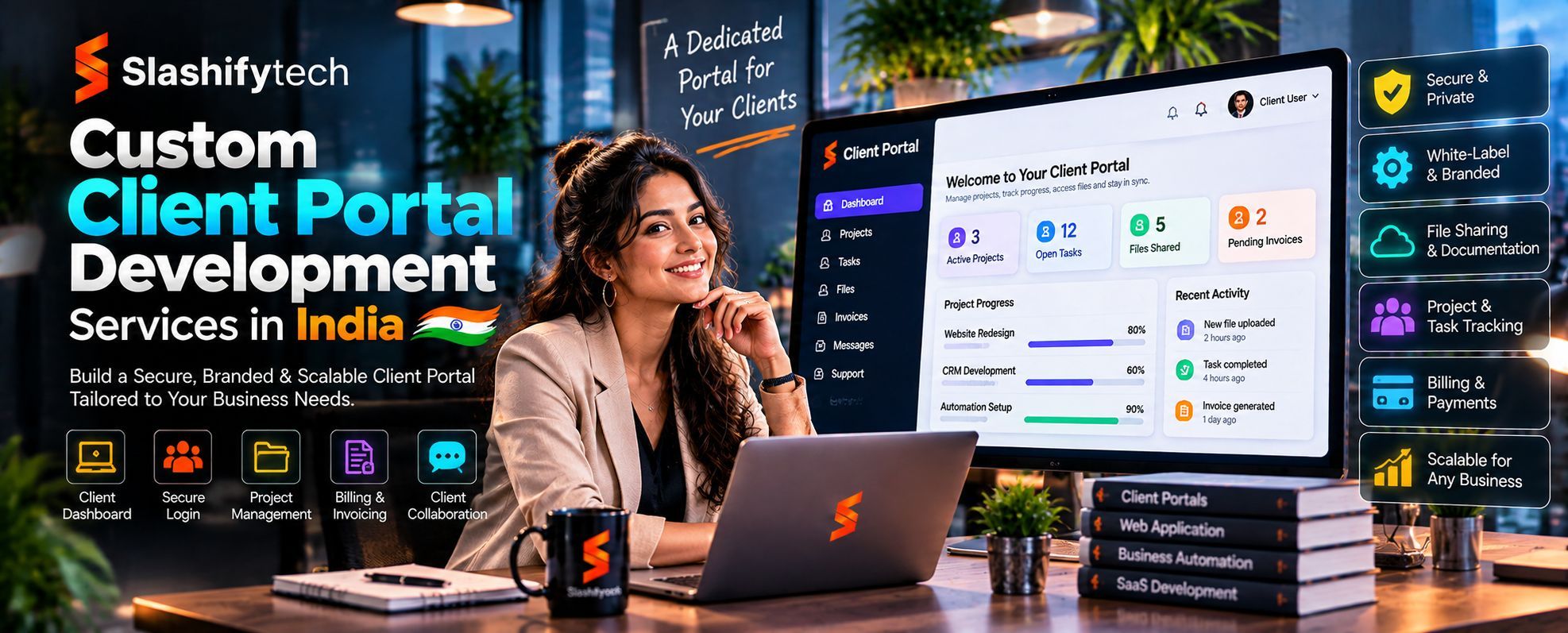
Your clients shouldn't have to send emails, make repeated calls or wait for manual updates just to access information about their accounts, projects or services.
They need one place where they can log in, find what they need, submit requests, exchange documents and stay informed about ongoing activities.
But when client information is scattered across emails, spreadsheets, shared folders and disconnected applications, providing a smooth customer experience becomes difficult.
SlashifyTech provides custom software and web application development solutions to help businesses build client-facing digital platforms around their operational requirements.
Our approach to Custom Client Portal Development Services In India focuses on creating structured digital experiences where clients can access relevant information, interact with your team and complete important activities through a centralised platform.
Whether you need a secure customer portal, a project management portal, a document-sharing platform or a specialised client dashboard, the solution should reflect how your business serves its customers.
Looking for Custom Client Portal Development Services In India? Let's discuss your requirements.
Build Your Custom Client Portal with SlashifyTech
What Are Custom Client Portal Development Services In India?
Custom Client Portal Development Services In India is the process of designing and building a secure online platform where customers or clients can access information and interact with a business.
A client portal creates a dedicated digital environment for activities that would otherwise require repeated communication through emails, phone calls or manual coordination.
Depending on business requirements, a client portal can provide:
- Secure client registration and login.
- Personalised client dashboards.
- Document upload and download.
- Project and service status tracking.
- Online requests and support tickets.
- Approval and review workflows.
- Invoice and payment access.
- Notifications and communication.
- Account and profile management.
- Integration with existing business applications.
Unlike a generic customer-facing website, a client portal provides authenticated access to information and functionality specific to individual users or organisations.
For example, a consulting company could use a client portal to share project documents, communicate progress, collect approvals and manage service requests.
Similarly, a financial services company could provide clients with access to relevant statements, documents and account-related information.
The functionality depends on the organisation's workflow, data requirements and security needs.
Our Custom Client Portal Development Services In India
Every business has different client relationships and service delivery processes. Some organisations need a simple platform for document exchange, while others require a comprehensive portal connecting multiple departments, applications and customer workflows.
SlashifyTech can scope custom software solutions around these requirements.
1. Custom Client Portal Software Development
Build a client-facing software platform that reflects your business processes, branding and operational requirements.
The portal can be planned around specific user roles, dashboard layouts, business rules, data structures and required functionality.
Potential capabilities include:
- Custom client dashboards.
- User registration and authentication.
- Account management.
- Client-specific information.
- Activity tracking.
- Document management.
- Request management.
- Administrative controls.
The objective is to provide clients with a structured digital experience while giving your internal team appropriate tools to manage portal activities.
2. Customer Self-Service Portal Development
Allow customers to complete common activities through a dedicated online platform.
Instead of contacting your support team for every routine requirement, customers can access available information and submit requests themselves.
Depending on the project, a self-service portal may include:
- Account information.
- Service information.
- Frequently requested resources.
- Support requests.
- Order or service status.
- Document access.
- Profile updates.
- Notifications.
A well-planned self-service experience should make important information easy to find and common tasks straightforward to complete.
3. Client Dashboard Development
A client dashboard provides a central location for viewing information relevant to an individual customer or organisation.
The information displayed should depend on the user's account, permissions and relationship with your business.
A dashboard may include:
- Account overview.
- Current projects.
- Service progress.
- Pending requests.
- Important documents.
- Upcoming activities.
- Notifications.
- Payment information.
For businesses managing multiple clients, personalised dashboards can provide a more organised way to share relevant information.
4. Client Document Management Portal
Exchanging documents through email attachments and scattered shared folders can become difficult to manage.
A dedicated document portal can provide an organised environment for sharing, uploading and accessing files.
Potential features include:
- Secure document upload.
- Document downloads.
- Client-specific folders.
- File categorisation.
- Document version management.
- Access permissions.
- Download history.
- Expiring document links.
- Upload notifications.
Document access should be controlled through suitable permissions so that clients can only access files intended for them.
5. Client Communication and Messaging Portal
Businesses often need a structured way to manage communication with customers.
A client portal can provide communication functionality connected to particular projects, accounts or service requests.
Depending on the requirements, this may include:
- Client messaging.
- Service-related conversations.
- Internal notifications.
- Email notifications.
- Request updates.
- Communication history.
- Message attachments.
The purpose is to make important communication easier to organise and retrieve.
6. Project and Service Tracking Portal
Clients frequently want to know the status of projects, applications, orders or ongoing services.
A tracking portal can provide visibility into relevant progress without requiring employees to manually send every update.
Possible features include:
- Project status.
- Service milestones.
- Progress updates.
- Assigned responsibilities.
- Pending client actions.
- Important deadlines.
- Document approvals.
- Activity history.
The information should be connected to reliable internal data sources to avoid showing outdated or incorrect progress.
7. Client Request and Support Portal
A structured request management system helps customers submit issues and allows internal teams to track their resolution.
A custom portal may include:
- Request submission forms.
- Support ticket creation.
- Request categorisation.
- Priority assignment.
- Ticket ownership.
- Status updates.
- Response history.
- Resolution tracking.
This can provide greater visibility into customer requests and help establish clearer responsibilities within support teams.
8. Client Approval and Workflow Portal
Some businesses require customers to review and approve documents, proposals, designs or project deliverables.
A customized approval workflow can help manage these activities.
Potential functionality includes:
- Document review.
- Approval requests.
- Approve or reject actions.
- Feedback submission.
- Revision requests.
- Approval timestamps.
- Status notifications.
- Approval history.
For legally significant agreements, electronic signature functionality should use an appropriate third-party service or a properly scoped signing integration.
9. Payment and Invoice Portal
Businesses can provide clients with access to billing information through a dedicated portal.
Depending on the required payment provider and accounting integrations, features may include:
- Invoice viewing.
- Payment status.
- Online payment.
- Transaction records.
- Payment confirmations.
- Downloadable receipts.
- Outstanding balance information.
Payment processing should be implemented through suitable payment providers, with appropriate security and reconciliation procedures.
10. Custom Portal Integration Services
Your client portal may need to communicate with the software your business already uses.
SlashifyTech can assess integration requirements as part of the wider software development scope.
Potential integration categories include:
- CRM systems.
- ERP applications.
- Accounting software.
- Payment gateways.
- Cloud document storage.
- Email platforms.
- Customer support applications.
- Existing databases.
- Internal business applications.
Each integration should be assessed for API availability, authentication, data mapping, synchronisation requirements and third-party restrictions.
Types of Client Portals We Can Help Build
The right portal structure depends on who will use it and what they need to accomplish.
Customer Portals
Customer portals allow businesses to provide customers with access to account information, service details, documents, requests and relevant updates.
They are useful when customers need a consistent digital location for interacting with a company.
B2B Client Portals
B2B client portals are designed for business customers who need access to shared information, account activities, commercial documents and ongoing service workflows.
These portals may include organisation-level accounts, multiple authorised users and different permission levels.
Project Management Client Portals
A project portal can give clients access to project updates, milestones, documents, feedback and pending approvals.
It can be particularly useful for businesses managing ongoing client engagements.
Professional Services Client Portals
Consultancies, agencies and professional service providers may need a dedicated environment for managing client communication, deliverables, reports, requests and documentation.
The portal can be designed around the organisation's service delivery process.
Document Sharing Portals
A document-sharing portal provides a structured way to exchange files between a business and its customers.
It can include client-specific access, file organisation, document history and controlled permissions.
Financial and Administrative Portals
Businesses may require portals where authorised customers can access relevant statements, invoices, applications and administrative information.
Solutions handling financial or sensitive personal data require additional security and regulatory assessment.
Custom Client Portal Development Services In India for Different Industries
A client portal should support the way a particular industry delivers services and communicates with its customers.
Real Estate
Real estate businesses can use client-facing portals to provide property-related information, enquiry updates, document access and transaction progress.
A portal may also support communication between buyers, sellers and authorised representatives.
Education and Overseas Consultancy
Educational institutions and overseas consultancy businesses may need portals where students or applicants can access application information, upload documents, review status updates and receive notifications.
A properly scoped portal can make application-related communication more structured.
Healthcare and Wellness
Healthcare and wellness organisations may require portals for appointment-related administration, service requests, document access and authorised communication.
Any platform processing patient information must account for privacy, access controls and applicable healthcare regulations.
Financial Services
Financial service providers may need secure client access to statements, documents, requests and account-related information.
Security architecture, data permissions and regulatory obligations should be assessed carefully before development.
IT and Software Companies
Technology companies and digital agencies may use client portals to share project progress, deliverables, reports, technical requests and approval activities.
This can help organise communication across ongoing engagements.
Manufacturing and Distribution
Manufacturers and distributors may need customer-facing portals for order information, product documentation, service requests and account-related communication.
Where necessary, the portal can be integrated with relevant ERP or inventory applications.
Professional Consulting Firms
Consultancies may use portals to manage client documents, deliverables, approvals, project updates and ongoing service communication.
The system can be configured around the firm's engagement lifecycle.
Essential Features of a Secure Client Portal
A successful portal must provide a convenient user experience without compromising access control or information security.
The following capabilities should be evaluated during project planning.
Secure User Authentication
Users should be able to access their accounts through an appropriate authentication process.
Depending on the sensitivity of the information, this may include multi-factor authentication, secure session management and account recovery controls.
Role-Based Access Control
Not every user should have access to every record.
Role-based permissions help define which information and functionality are available to customers, client administrators and internal employees.
Personalised User Dashboards
A personalized dashboard displays information relevant to the authenticated user.
The system should enforce access permissions on the backend rather than relying only on hiding interface elements.
Responsive User Experience
Clients may access the portal through desktops, tablets and mobile devices.
A responsive interface should keep important information and actions accessible across different screen sizes.
Notifications and Alerts
Notifications can inform clients about relevant activities, including document uploads, request updates, pending approvals and other important events.
Users should be able to manage notification preferences where appropriate.
Administrative Dashboard
Internal employees need suitable tools to manage users, permissions, documents, requests, notifications and portal configuration.
The administrative interface should also provide visibility into important system activities.
Audit and Activity Logs
Audit records can help authorised administrators understand important events, such as account changes, document access, approvals and administrative actions.
The level of logging should reflect the business's security and compliance requirements.
Our Client Portal Development Process
A successful client portal starts with understanding what customers need to accomplish and how your internal team will manage those interactions.
Our recommended development framework follows these stages.
Step 1: Requirements Discovery
First, identify the purpose of the portal and the users who will access it.
We need to understand:
- Who will use the portal?
- What information should each user access?
- Which activities should clients complete themselves?
- What documents need to be exchanged?
- Which internal employees will manage the portal?
- What existing systems need integration?
- What security and privacy requirements apply?
This stage helps define the initial project scope and functional priorities.
Step 2: Information Architecture and Technical Planning
Once the requirements are understood, the portal's architecture can be planned.
This includes:
- User roles and permissions.
- Data structure.
- Portal modules.
- Authentication requirements.
- API and integration architecture.
- Database design.
- Hosting requirements.
- Security considerations.
A clear technical plan helps prevent unnecessary complexity and establishes how different parts of the portal will work together.
Step 3: UI/UX Design and Prototyping
The portal should be simple enough for clients to use without extensive training.
Design work may include:
- Login and registration screens.
- Client dashboard layouts.
- Account management interfaces.
- Document management screens.
- Request submission forms.
- Project tracking views.
- Administrative dashboards.
Prototypes help stakeholders review the experience before development begins.
Step 4: Frontend and Backend Development
The approved design and technical requirements are translated into working software.
Frontend development focuses on the user interface and interactions.
Backend development handles authentication, business logic, databases, permissions, document processing, APIs and other server-side functionality.
The two layers must work together to provide a reliable portal experience.
Step 5: Integration and Data Management
The portal may need to connect with existing business applications or databases.
Integration work should cover authentication, data mapping, synchronisation rules, error handling and appropriate access restrictions.
If existing customer information needs to be migrated, data cleansing and validation should be planned before the transition.
Step 6: Quality Assurance and Security Testing
Before launch, the portal should be tested against its agreed requirements.
Testing may include:
- User registration and login.
- Role and permission validation.
- Document upload and download.
- Request and approval workflows.
- Integration testing.
- Mobile responsiveness.
- Performance testing.
- Security testing.
- Data validation.
- Error handling.
Particular attention should be given to ensuring one client's information cannot be accessed by another unauthorized user.
Step 7: Deployment and User Onboarding
After testing and approval, the portal can be deployed to the agreed production environment.
The launch process may include domain and hosting configuration, production data validation, user account setup and administrator onboarding.
For existing businesses, a phased rollout can help minimise disruption.
Step 8: Maintenance and Continuous Improvement
After deployment, the portal should be monitored and maintained according to the agreed support arrangement.
Future improvements may include additional modules, new integrations, interface enhancements, security updates and performance optimisation.
This allows the portal to evolve as your business and client requirements change.
How Much Does Custom Client Portal Development Services In India?
The cost of Custom Client Portal Development Services In India depends on the functionality, technical complexity and integration requirements.
A simple portal providing login access and document sharing has different requirements from a comprehensive platform supporting multiple user roles, approvals, payment processing and business integrations.
Important cost factors include:
| Cost factor | Why it matters |
|---|---|
| Portal functionality | The number and complexity of features influence development effort. |
| User roles | Different access levels and organisational structures require appropriate permission management. |
| UI/UX requirements | Custom interface design and specialised user journeys influence the scope. |
| Integrations | Connecting external CRM, ERP, accounting or payment systems can add technical complexity. |
| Document management | File storage, permissions, versioning and secure downloads require appropriate implementation. |
| Security requirements | Authentication, access controls, audit logging and compliance-related safeguards affect architecture and testing. |
| Data migration | Existing records may need cleansing, restructuring and validation. |
| Maintenance | Hosting, backups, monitoring, technical support and future enhancements contribute to long-term costs. |
Before approving a project, request a detailed proposal covering the functionality, deliverables, integrations, exclusions, milestones, ownership and maintenance arrangements.
SlashifyTech should provide project-specific pricing after reviewing the actual requirements rather than quoting an unsupported universal price.
Why Choose SlashifyTech for Custom Client Portal Development Services In India?
Choosing the right development partner is important because your client portal becomes part of the way your business delivers services and maintains customer relationships.
SlashifyTech focuses on custom software, web application development, SaaS platforms and digital product engineering.
Its existing portfolio includes B2B and B2C web applications, including portal-oriented projects such as Shivorix Overseas Portal, Sov Portal and MG Portal Raam Group.
For a new client portal project, the important considerations include:
Business-Focused Solution Planning
A portal should be developed around the activities your clients actually need to perform.
The requirements process should identify important user journeys, internal responsibilities and operational constraints.
Custom Application Development
A tailored solution provides flexibility over the portal's functionality, interface, data structure and workflows, subject to the agreed scope.
Integration-Oriented Architecture
If your portal needs to exchange information with other business applications, integration requirements should be considered early in the development process.
User Experience and Interface Design
Clients should be able to access important information and complete common activities without unnecessary navigation.
Security and Access Management
Authentication, role-based access, secure data handling and appropriate testing should be incorporated into the development plan.
Long-Term Product Thinking
A client portal may need additional modules as your business grows.
Maintainable architecture, documentation and a clear support arrangement help prepare the platform for future enhancements.
Build a Better Client Experience with SlashifyTech
Your clients should have a convenient way to access information, manage requests and stay connected with your business.
A well-planned client portal can bring these activities into one organised digital environment while giving your internal team better control over how client interactions are managed.
Whether you need a customer self-service portal, a secure document-sharing platform, a project tracking application or a customized client dashboard, the right solution starts with understanding your business requirements.
Looking for Custom Client Portal Development Services In India?
Talk to SlashifyTech about your portal requirements, existing software systems and desired functionality.
Let's plan a client portal that makes everyday interactions simpler for your customers and your team.
Frequently Asked Questions About Client Portal Development
1. What are Custom Client Portal Development Services In India?
Custom Client Portal Development Services In India involve designing and building secure online platforms where customers can access account information, documents, services, requests and business-related updates according to their permissions.
2. Why should a business develop a custom client portal?
A custom client portal can help businesses centralise client interactions, reduce repetitive communication, organise document exchange and provide customers with easier access to relevant information.
It is particularly useful when existing tools cannot support the required workflows.
3. What features should a client portal include?
Common features include secure login, personalised dashboards, document management, client requests, notifications, communication tools, approval workflows, account management and administrative controls.
The final feature set should depend on the portal's purpose.
4. How much does custom client portal development cost in India?
The cost depends on the number of modules, user roles, interface requirements, integrations, security controls and data management needs. A detailed project assessment is necessary to provide an accurate quotation.
5. How long does it take to develop a client portal?
The development timeline depends on project scope, design complexity, integrations, data migration and testing requirements. A focused first release may take less time than a comprehensive multi-user portal.
6. Can a client portal integrate with existing CRM software?
Yes, where the CRM provides suitable integration capabilities. The development team must assess API access, authentication, data mapping and synchronisation requirements before confirming the integration scope.
7. Can a client portal support multiple user roles?
Yes. A portal can support different user roles, such as clients, client administrators, internal employees and system administrators. Each role can receive appropriate permissions based on business requirements.
8. Is a client portal different from a CRM?
Yes. A CRM primarily manages customer relationships, sales activities and customer information. A client portal provides an authenticated interface through which customers interact with a business and access relevant services or information.
The two systems can be integrated when required.
9. Can clients upload and download documents through the portal?
Yes. Document upload and download functionality can be developed with suitable access controls, file validation, storage policies and activity records.
10. Can a custom client portal be expanded in the future?
Yes, provided the application architecture supports the planned enhancements. New functionality, user roles, integrations and workflows can be introduced as business requirements evolve.
11. Is a client portal suitable for small businesses?
It can be useful for small businesses that handle recurring client requests, documents, approvals or service updates. However, businesses with very simple requirements should compare the cost of custom development with existing tools before investing.
12. Who owns the client portal after development?
Ownership depends on the contractual agreement. Before starting the project, clarify source code ownership, intellectual property rights, database access, third-party licences, hosting responsibilities and documentation delivery.


