



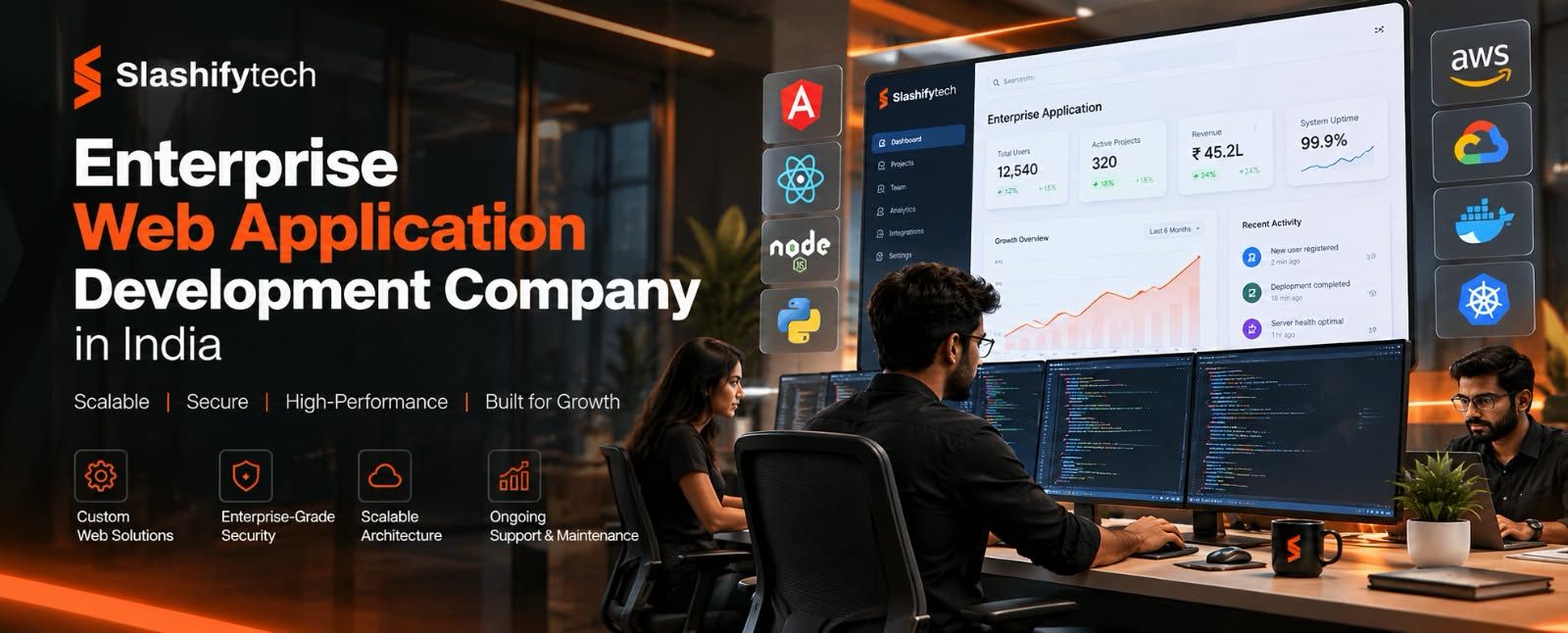
A business can outgrow spreadsheets long before it outgrows its market. When critical operations depend on disconnected spreadsheets, emails, manual approvals, and multiple systems that do not share data, an enterprise web application can bring those workflows into one controlled environment.
An enterprise web application development company in India builds custom platforms for complex business requirements, including B2B portals, CRM and ERP systems, internal dashboards, partner platforms, warranty management systems, compliance applications, and enterprise integrations. SlashifyTech currently provides enterprise web application development for businesses that need scalable platforms built around their operational workflows.
What Is Enterprise Web Application Development?
Enterprise web application development is the process of designing, developing, testing, deploying, and maintaining a web-based software platform for complex organisational requirements. Unlike a simple business website, an enterprise application usually contains multiple user roles, business rules, databases, integrations, security controls, reporting systems, and workflows.
An enterprise application can operate as a central system connecting employees, customers, partners, vendors, dealers, branches, administrators, and external software. For example, a manufacturing company may use an enterprise web application to connect distributors with inventory, orders, approvals, documents, reporting, and internal operations.
The application is accessed through a web browser, while its backend manages authentication, business logic, APIs, databases, permissions, integrations, and data processing.
The architecture may include:
- Frontend applications
- Backend APIs
- Relational or NoSQL databases
- Authentication systems
- Role-based permissions
- Cloud infrastructure
- Third-party integrations
- Reporting and analytics
- Audit logging
- Monitoring
- Automated workflows
- Security controls
The objective is not simply to create more software. The objective is to create a digital operating layer around the way your organisation actually works.
When Does a Business Need an Enterprise Web Application?
Enterprise web application development becomes relevant when standard tools cannot efficiently support the complexity, scale, security, or workflow requirements of your organisation.
Moving Beyond Spreadsheets and Email Workflows
If several teams maintain separate spreadsheets, manually exchange files, and request approvals through email, information can become fragmented. An enterprise platform can centralise this information.
For example, instead of a sales employee updating a spreadsheet and sending it to an operations manager, the application can provide:
- A structured order-entry interface.
- Automatic validation.
- Role-based approval.
- Inventory visibility.
- Notifications.
- Database updates.
- Reporting.
- Audit history.
This creates a single operational system rather than multiple disconnected records.
Replacing Legacy Systems
Legacy software may continue to perform its basic function while becoming increasingly difficult to maintain. Common warning signs include:
- Difficult feature changes
- Outdated technology
- Poor mobile usability
- Limited integrations
- Slow reporting
- Security concerns
- Duplicate data
- High maintenance effort
- Dependence on a small number of developers
Modernisation can involve rebuilding the application, migrating data, connecting new APIs, or gradually replacing individual modules.
Connecting Multiple Locations or Partners
Businesses with branches, dealers, distributors, franchisees, agents, or external partners often need different users to access different information. A central enterprise application can provide location-specific dashboards while maintaining central management visibility.
For example:
Head Office → Regional Management → Branch → Dealer → Customer
Each user can receive permissions appropriate to their role.
Supporting Complex Business Workflows
Standard SaaS products work well when your processes match the software. The problem begins when your business operates differently.
A custom enterprise application allows the software architecture to reflect your actual process rather than forcing employees to work around the limitations of an existing product.
Meeting Security and Compliance Requirements
Certain industries require stronger controls around access, documentation, auditability, and data protection. An enterprise application can incorporate:
- Authentication
- Multi-factor authentication
- Role-based access
- Audit logs
- Encryption
- Secure APIs
- Data retention controls
- Approval workflows
- Access monitoring
- Compliance-oriented reporting
Security should be considered during architecture and development rather than added after launch.
What Can an Enterprise Web Application Manage?
An enterprise web application can cover different business functions depending on the organisation's requirements.
B2B Portal Development
A B2B portal connects businesses with distributors, dealers, vendors, agents, or other external stakeholders. A portal may include:
- Partner registration
- Role-based access
- Product catalogues
- Order management
- Inventory visibility
- Document management
- Approvals
- Communication
- Reporting
- Notifications
Slashifytech describes its B2B portal development around partner and dealer operations, including role-based access, order and inventory visibility, document management, approval workflows, reporting dashboards, and secure communication.
Custom CRM and ERP Development
A custom CRM or ERP application can centralise business operations such as:
- Customer management
- Sales pipelines
- Inventory
- Finance workflows
- HR processes
- Vendor management
- Reporting
- Approvals
- Operational records
The main advantage is that the workflow can be designed around the organisation's actual processes.
Internal Admin Dashboards
Internal dashboards turn operational data into structured views for managers and administrators. A dashboard may display:
- Sales metrics
- User activity
- Transactions
- Operational alerts
- Financial summaries
- Performance indicators
- Audit information
Instead of exporting data into spreadsheets for every report, authorised employees can access current information through the application.
Warranty and Policy Management
Warranty and policy applications can manage:
- Policy records
- Claims
- Renewals
- Service contracts
- Approvals
- Dealer access
- Branch-level information
- Documentation
- Financial integrations
These systems can be particularly relevant to automotive, electronics, equipment, and other businesses managing product service obligations.
Compliance and Regulatory Platforms
Compliance applications can be designed around processes such as:
- Financial reconciliation
- Tax workflows
- Legal filings
- Document approvals
- Healthcare data management
- Audit reporting
For regulated environments, the application's architecture must account for data protection, access controls, traceability, and reporting requirements.
Enterprise Integrations
Enterprise applications rarely operate in isolation. They may need to communicate with:
- ERP systems
- CRM platforms
- Accounting software
- Payment gateways
- Communication platforms
- Analytics tools
- Inventory systems
- Government portals
- Internal databases
APIs, webhooks, scheduled synchronisation, authentication mechanisms, and validation logic can be used to connect these systems.
Core Features of an Enterprise Web Application
The feature list should be driven by the business requirements rather than by a generic checklist. However, several capabilities are commonly important.
Role-Based Access Control
Role-based access control determines what users can view and what actions they can perform. For example:
| User | Possible Access |
|---|---|
| Super Admin | Full system management |
| Regional Manager | Regional reporting and approvals |
| Branch Manager | Branch operations |
| Dealer | Assigned customer/order information |
| Employee | Assigned internal functions |
| Customer | Personal account information |
A mature permission model can also control access at the record, module, action, and document level.
Audit Trails
An audit trail records important activity inside the system. Depending on the application, records may include:
- User identity
- Timestamp
- Action
- Previous value
- New value
- Approval status
- Related record
Audit logs can help with accountability, troubleshooting, security investigations, and compliance reporting.
APIs and Integrations
APIs allow the enterprise platform to exchange data with other systems. For example:
- Enterprise Application → ERP
Customer and order information can be transmitted to the ERP. - Payment Gateway → Enterprise Application
Payment status can update an order automatically. - CRM → Enterprise Application
Customer information can synchronise between systems.
The exact integration design depends on the APIs and authentication mechanisms supported by the systems involved.
Scalable Architecture
An enterprise application should not be designed only for its current user base. Architecture should consider:
- Future users
- Data growth
- Additional modules
- API traffic
- Reporting requirements
- Integration volume
- Geographic expansion
SlashifyTech's enterprise web application offering identifies scalable architecture, modular service boundaries, REST and GraphQL APIs, databases such as PostgreSQL and MongoDB, Redis, and cloud infrastructure on AWS or GCP among its technical approaches.
Security and Data Protection
Security controls can include:
- HTTPS/TLS
- Encryption
- Strong authentication
- Multi-factor authentication
- Role-based permissions
- Input validation
- Secure API authentication
- Dependency monitoring
- Vulnerability testing
- Secure coding practices
- Logging and monitoring
OWASP's Application Security Verification Standard provides requirements that can be used as a basis for testing web application security controls and secure development practices.
Reporting and Analytics
Reporting should be designed around actual business decisions. Instead of simply displaying large amounts of data, dashboards should answer questions such as:
- What requires attention?
- Which transactions are pending?
- Which branches are performing differently?
- Which approvals are delayed?
- Which customers require follow-up?
- Which operational exceptions need intervention?
Enterprise Web Application Technology Stack
Technology selection should depend on requirements rather than developer preference.
SlashifyTech's published enterprise stack includes React or Next.js for frontend development, Node.js or Django for backend APIs, PostgreSQL or MongoDB for databases, and AWS or GCP for cloud infrastructure. It also identifies Java, .NET, and Laravel for enterprise environments requiring integration with existing technology ecosystems.
| Layer | Example Technologies | Typical Role |
|---|---|---|
| Frontend | React, Next.js | User interface |
| Backend | Node.js, Django | Business logic and APIs |
| Database | PostgreSQL, MongoDB | Data storage |
| Cache | Redis | Fast-access data and temporary storage |
| Cloud | AWS, GCP | Infrastructure and deployment |
| APIs | REST, GraphQL | System communication |
| Authentication | RBAC, MFA | Identity and access control |
| Monitoring | Application monitoring tools | Performance and reliability |
The final stack should consider performance requirements, data structure, existing systems, development team capability, integration requirements, security, and long-term maintenance.
Enterprise Web Application Development Process
A structured development process reduces ambiguity and makes complex projects easier to manage.
Step 1: Discovery and Requirements
The first stage defines:
- Business objectives
- Users
- Roles
- Workflows
- Existing systems
- Integrations
- Data requirements
- Security requirements
- Reporting requirements
- Regulatory requirements
The output should be a clear scope rather than a vague feature list.
Step 2: Architecture and Planning
The development team determines:
- Application architecture
- Database structure
- API design
- Authentication approach
- Hosting architecture
- Integration strategy
- Deployment process
- Scalability requirements
Architecture decisions made here can influence development effort for years.
Step 3: UX/UI Design
Enterprise applications need usable interfaces because employees may interact with them every day. Design should account for:
- Navigation
- Search
- Forms
- Tables
- Filters
- Dashboards
- Mobile responsiveness
- Accessibility
- Error handling
- Role-specific experiences
Accessibility should be treated as a product requirement. W3C's WCAG 2.2 provides internationally recognised accessibility guidance for web content and applications.
Step 4: Development
Frontend, backend, database, integrations, authentication, and business logic are implemented according to the approved architecture. Development should normally happen in manageable modules so the project can be tested continuously.
Step 5: QA and Security Testing
Testing should cover:
- Functional requirements
- User roles
- API behaviour
- Database operations
- Integrations
- Performance
- Security
- Responsive behaviour
- Error handling
Step 6: Deployment
After testing, the application can move into production. A controlled deployment process should include:
- Production configuration
- Database migration
- Backups
- Monitoring
- Access controls
- Rollback planning
Step 7: Post-Launch Support
Enterprise software is rarely finished permanently at launch. Post-launch work may include:
- Security updates
- Performance optimisation
- Bug fixes
- API changes
- Infrastructure monitoring
- Feature development
- User support
SlashifyTech states that its enterprise builds include a 30-day post-launch warranty and that longer-term maintenance options can cover server monitoring, security patching, performance optimisation, API updates, feature development, and user support.
Enterprise Web Application Development Cost in India
Enterprise web application development in India can vary substantially because complexity differs from one organisation to another.
SlashifyTech currently publishes an indicative range of ₹8,00,000 to ₹40,00,000+ for enterprise web application development in India, depending on platform complexity, user roles, integrations, and compliance requirements.
Typical cost factors include:
Number of Modules
A dashboard with five core workflows requires less development than a complete ERP containing sales, inventory, finance, HR, reporting, and approvals.
User Roles
More user types generally mean more permission rules, workflows, dashboards, and testing scenarios.
Integrations
Integrating with one well-documented API is different from integrating several legacy systems with inconsistent data formats.
Compliance
Regulated platforms can require additional security controls, audit trails, documentation, testing, and reporting.
Data Migration
Migrating historical records from legacy systems can require data mapping, cleansing, transformation, validation, and staged migration.
UI Complexity
Complex operational applications may require advanced tables, dashboards, filters, workflows, document systems, and role-specific interfaces.
Infrastructure
Hosting, backups, monitoring, scaling, disaster recovery, and security requirements can affect ongoing costs.
For this reason, a development company should not provide a serious enterprise quote from a keyword or a one-page feature list alone. Requirements discovery is needed before a reliable estimate can be produced.
How Long Does Enterprise Web Application Development Take?
Enterprise projects commonly take several months because they involve discovery, architecture, development, integration, testing, deployment, and training.
SlashifyTech states that enterprise projects typically take 4 to 9 months, while its detailed project guidance distinguishes between focused platforms, full CRM/ERP systems, and larger compliance-heavy platforms.
| Project Type | Indicative Complexity | Typical Timeline |
|---|---|---|
| Focused enterprise platform | Core workflows and reporting | 4-5 months |
| B2B portal | Multiple user roles and integrations | 5-7 months |
| CRM/ERP | Multiple business modules | 5-7+ months |
| Large compliance platform | Advanced workflows and integrations | 7-12 months |
These should be treated as planning ranges rather than guarantees.
Enterprise Web Application Security Considerations
Security needs to be part of the architecture from the beginning. An enterprise platform may contain customer records, financial information, internal documents, employee information, operational data, and business-critical transactions.
Important security areas include:
Authentication
Users should be authenticated using appropriate mechanisms, with stronger authentication requirements for sensitive roles.
Authorization
Authentication confirms who the user is. Authorization determines what that user is allowed to do. This distinction is critical.
Encryption
Sensitive information should be protected during transmission and, where appropriate, while stored.
Audit Logging
Important operations should generate reliable audit records.
Secure APIs
APIs should validate requests, authenticate callers, enforce permissions, and protect against common application vulnerabilities.
Dependency Management
Third-party libraries should be monitored and updated when security vulnerabilities are identified.
Security Testing
Security testing should be incorporated into development and release processes rather than performed only after a major incident.
OWASP ASVS can provide a structured reference for defining and testing technical security controls in web applications.
Custom Enterprise Applications vs Off-the-Shelf SaaS
The right choice depends on how closely your business processes match available software.
| Factor | Custom Enterprise Application | Off-the-Shelf SaaS |
|---|---|---|
| Workflow | Built around your process | Based on vendor's model |
| Customisations | High | Usually limited to available options |
| Integrations | Can be designed specifically | Depends on supported integrations |
| Ownership | Greater control over custom system | Vendor-controlled product |
| Deployment | Custom architecture | Vendor-managed |
| Initial investment | Usually higher | Usually lower |
| Ongoing model | Development and maintenance | Subscription |
| Best fit | Complex or unique workflows | Standard business processes |
| Scalability | Designed around requirements | Based on vendor platform |
| Features | Selected for your use case | Broad product feature set |
Custom development is not automatically better.
If your business can operate effectively using an existing SaaS product without major compromises, custom software may create unnecessary development and maintenance costs.
Custom development becomes more compelling when your workflows, integrations, security requirements, or operational model are sufficiently different from what standard software provides.
Common Enterprise Web Development Mistakes
Building Before Defining the Workflow
A long feature list does not explain how the system should work. Start by mapping users, processes, data, decisions, approvals, exceptions, and integrations.
Ignoring Existing Systems
A new platform may fail if it does not integrate correctly with the systems employees already use. Audit the existing technology environment before architecture decisions are finalised.
Treating Security as a Final Step
Security cannot be effectively added as a cosmetic layer after development. Authentication, authorization, data protection, logging, and secure API design should influence architecture from the start.
Overbuilding the First Version
Enterprise does not mean every possible feature should launch simultaneously. Prioritise the workflows that deliver the highest operational value.
Underestimating Data Migration
Legacy data often contains duplicates, inconsistent formats, missing fields, outdated records, and conflicting identifiers. Migration needs its own planning and validation process.
Choosing Technology Based Only on Popularity
A technology can be popular without being the correct choice for your project. Consider:
- Existing systems
- Team expertise
- Performance
- Integration needs
- Security
- Maintainability
- Long-term scalability
Myths and Misconceptions
Myth 1: A custom enterprise application is always better than SaaS.
Custom development provides control and flexibility, but it also introduces development, infrastructure, maintenance, and ownership responsibilities. If an existing SaaS product already supports your workflows effectively, it may be more practical.
Myth 2: More features create a better enterprise application.
More features can increase complexity, training requirements, maintenance effort, and security exposure. The better objective is to build the right capabilities around real business workflows.
Myth 3: Enterprise software only needs to work on desktop computers.
Modern enterprise applications may be accessed across desktops, tablets, and mobile devices. Responsive interfaces are especially useful for employees, managers, dealers, field teams, and partners who work across different environments.
Practical Example: Modernising a Business Platform
Consider a growing distributor operating across multiple locations.
Its sales teams use spreadsheets. Dealers send order information through email. Managers request reports manually. Inventory data is stored separately. Approvals happen through messages and email threads.
The business decides to modernise the process. The new enterprise platform could provide:
- Dealer login and role-based access.
- Product and inventory visibility.
- Online order submission.
- Automated approval workflows.
- Centralised customer records.
- Branch-level dashboards.
- Management reporting.
- Document storage.
- ERP integration.
- Complete audit history.
The important change is not simply replacing spreadsheets with a website. The application creates a connected operational system.
This is an illustrative scenario, not a claim about a specific SlashifyTech client or project.
How to Choose an Enterprise Web Application Development Company
Choosing a development company should involve more than reviewing visual designs. Use the following checklist.
1. Relevant Experience
Look for experience with applications similar to your business model.
2. Technical Capability
Ask about frontend, backend, databases, APIs, cloud infrastructure, security, testing, and deployment.
3. Relevant Portfolio
A portfolio should demonstrate systems involving comparable complexity rather than only marketing websites.
SlashifyTech's published portfolio includes B2B web applications such as Shivorix Overseas Portal, Brand Monkey, IDSSPL, MG Portal Raam Group, and 360 Car Protect.
4. Clear Project Scope
Make sure deliverables, exclusions, milestones, assumptions, and responsibilities are documented.
5. Communication
Enterprise projects require frequent communication between business stakeholders and technical teams.
6. Security
Ask how authentication, permissions, encryption, vulnerability management, backups, and security testing will be handled.
7. Scalability
Discuss expected users, data volume, integrations, and future modules.
8. Timeline
Ask what assumptions support the proposed timeline.
9. Maintenance
Understand what happens after launch.
10. Pricing Transparency
Separate development costs from hosting, third-party licences, maintenance, and future enhancements.
11. Ownership and Access
Clarify ownership of source code, infrastructure, databases, credentials, documentation, and deployment environments.
12. Documentation
Documentation should cover architecture, APIs, deployments, integrations, user roles, and operational procedures where applicable.
Why Businesses Work With SlashifyTech
SlashifyTech positions its enterprise web application service around custom platforms for B2B businesses, automotive networks, financial services, EdTech, and compliance-driven organisations. Its published service covers B2B portals, CRM and ERP systems, internal dashboards, warranty and policy systems, compliance platforms, and enterprise platform migration.
The company's published technology approach includes React/Next.js, Node.js/Django, PostgreSQL/MongoDB, AWS/GCP, and additional enterprise technologies such as Java, .NET, and Laravel where project requirements call for them.
Its broader web application offering also includes SaaS platforms, admin dashboards, CRM/ERP systems, marketplaces, booking platforms, customer portals, and progressive web applications.
For businesses evaluating an enterprise application project, the relevant question is not simply whether a development company can write code. The more useful question is whether the company can understand the operational problem, translate it into a reliable architecture, integrate existing systems, protect business data, and support the platform after launch.
Key Takeaways
Enterprise web application development is most useful when your organisation has complex workflows, multiple stakeholders, legacy systems, integration requirements, or security and compliance needs that standard software cannot adequately support.
- Enterprise applications can centralise complex business operations.
- B2B portals, CRM/ERP platforms, dashboards, compliance systems, and warranty platforms are common use cases.
- Role-based access, audit trails, APIs, scalable architecture, and security should be planned from the beginning.
- Custom software is not automatically the right choice; standard SaaS can be more appropriate when it already meets your requirements.
- Development cost depends on scope, integrations, user roles, compliance, data migration, and technical complexity.
- Enterprise projects commonly require several months from discovery through launch.
- Provider selection should consider technical capability, security, communication, ownership, documentation, support, and relevant project experience.
FAQs
What does an enterprise web application development company do?
An enterprise web application development company designs and builds complex web platforms for businesses with advanced workflows, multiple users, integrations, security requirements, and large operational datasets. Typical projects include B2B portals, CRM and ERP systems, dashboards, compliance platforms, warranty systems, and enterprise modernization projects.
How much does enterprise web application development cost in India?
The cost depends on application complexity, number of user roles, integrations, compliance requirements, data migration, modules, and infrastructure. SlashifyTech currently publishes an indicative range of ₹8 lakh to ₹40 lakh or more for enterprise web application development in India, with detailed estimates determined after requirements discovery.
How long does it take to build an enterprise web application?
Enterprise web applications commonly require several months because the project involves discovery, architecture, UX/UI, development, integrations, testing, deployment, and training. SlashifyTech currently states that enterprise projects typically take 4-9 months, with larger and more complex platforms potentially requiring longer timelines.
What technologies are used for enterprise web application development?
Common enterprise technologies include React or Next.js for frontend development, Node.js or Django for backend services, PostgreSQL or MongoDB for databases, and AWS or GCP for cloud infrastructure. Java, .NET, and Laravel may also be appropriate where existing systems or project requirements call for them.
Should I build custom software or use SaaS?
Use SaaS when an existing platform supports your workflows, integrations, security requirements, and reporting needs without major compromises. Consider custom development when your workflows are unique, integrations are complex, or the organisation requires greater control over functionality and architecture.
What security features should an enterprise web application have?
Security requirements vary by application, but common controls include strong authentication, role-based access control, encryption, secure APIs, audit logging, vulnerability management, dependency monitoring, backups, and security testing. Regulatory environments may require additional controls based on the applicable legal and industry requirements.


